Learn · Education
AI lecture slides that stay teachable, pacing, examples, checks
Lecture slides fail when AI produces a textbook paste with decorative icons. Teachable decks are paced: sparse live slides, denser posted notes, intentional checks for understanding, and examples tied to your unit, not invented case studies. This guide is for instructors and TAs building 50–75 minute sessions who want AI for scaffolding, not for replacing pedagogical judgment.
Parent guide: education hub. Method notes: how we evaluate decks. Product entry: AI presentation maker.
Who this is for
Instructors, lecturers, and TAs building recurring course sessions who want AI to accelerate outlining and twin artifacts (live vs posted), not to invent curriculum. You already know the learning objectives; you need paced slides and honest examples.
Not for: replacing subject expertise, auto-generating exam content you have not reviewed, or producing corporate training cosplay for a university classroom. If you are a student presenting once, use the student AI presentation spoke instead.
Pedagogy owns the deck. The model proposes structure; you own objectives, examples, and assessment alignment.
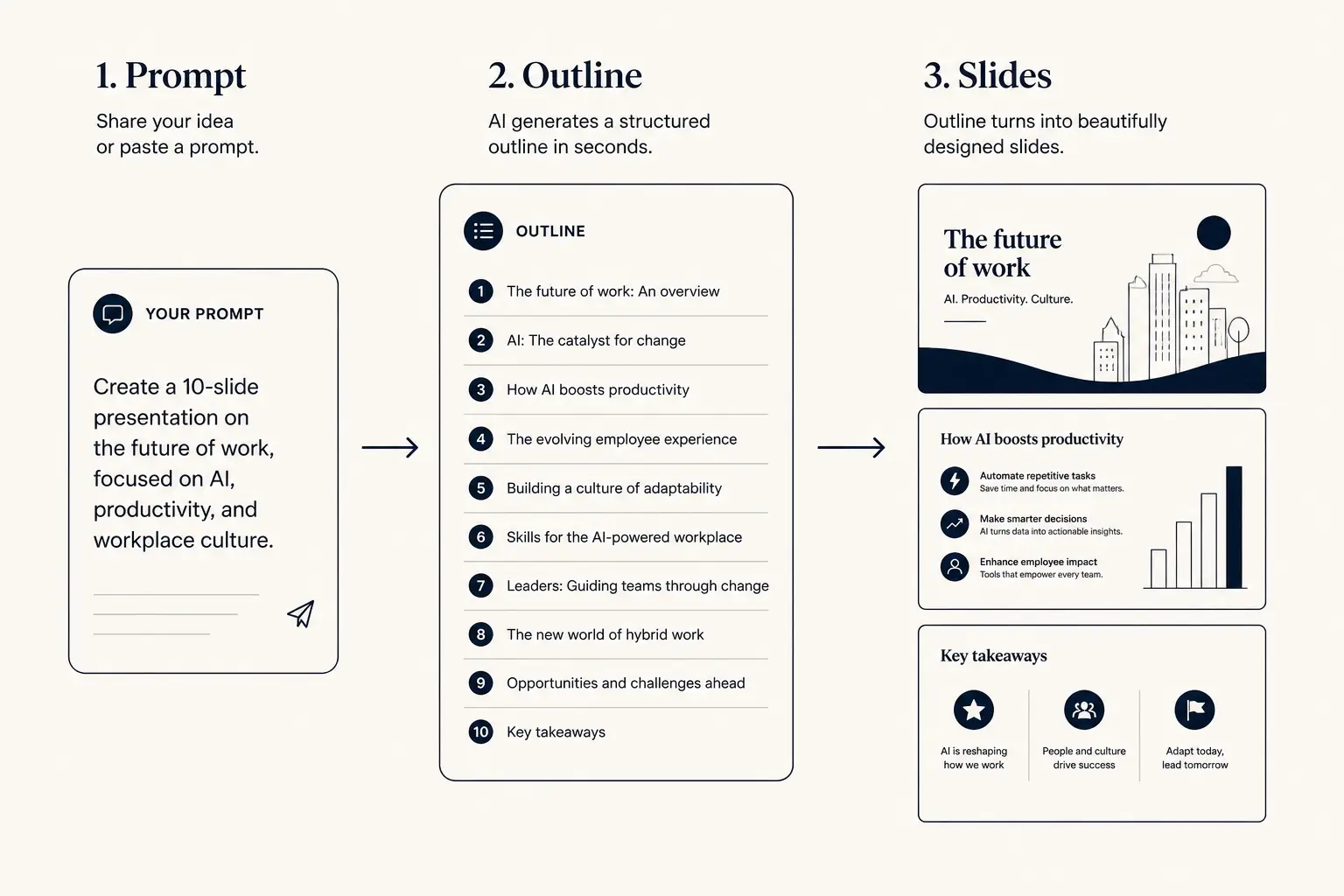
Prompt → outline → slides
1. Prompt
Audience, goal, length, proof you already have.
2. Outline
- • Opening claim
- • Proof beats
- • Ask / next step
3. Slides
The teachable lecture stack
A teachable lecture has six intentional layers: learner-facing objectives, minute-budgeted beats, example bank from your unit, checks for understanding, live/posted density split, and an exit ticket or next-step assignment bridge.
Write objectives as can-do statements students could self-assess. Assign minutes to hook, each teach beat, CFU, and close before you generate slides. Build an example bank from homework, lab data, or prior misconceptions, paste it into the prompt with use-only. CFU slides are first-class, not optional polish.
If a generated slide does not map to an objective or CFU, it is coverage theater. Cut it or move it to posted notes.
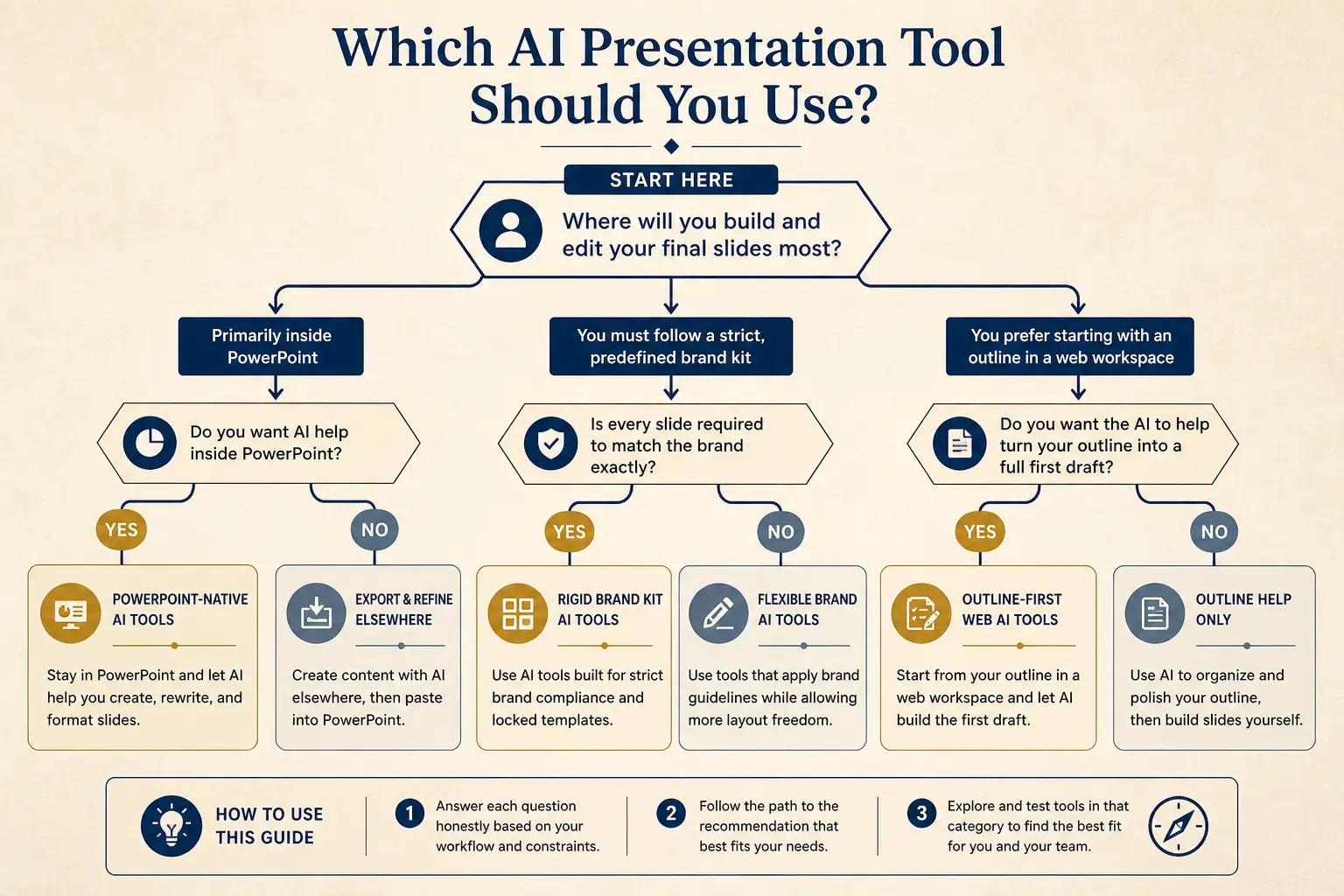
Which tool for which job
Need native PowerPoint editing every day?
Yes → Plus AI / Copilot · No → continue
Need rigid brand kits across a large team?
Yes → Beautiful.ai / enterprise kits · No → continue
Need outline-first AI drafting + present link?
Yes → Gamma
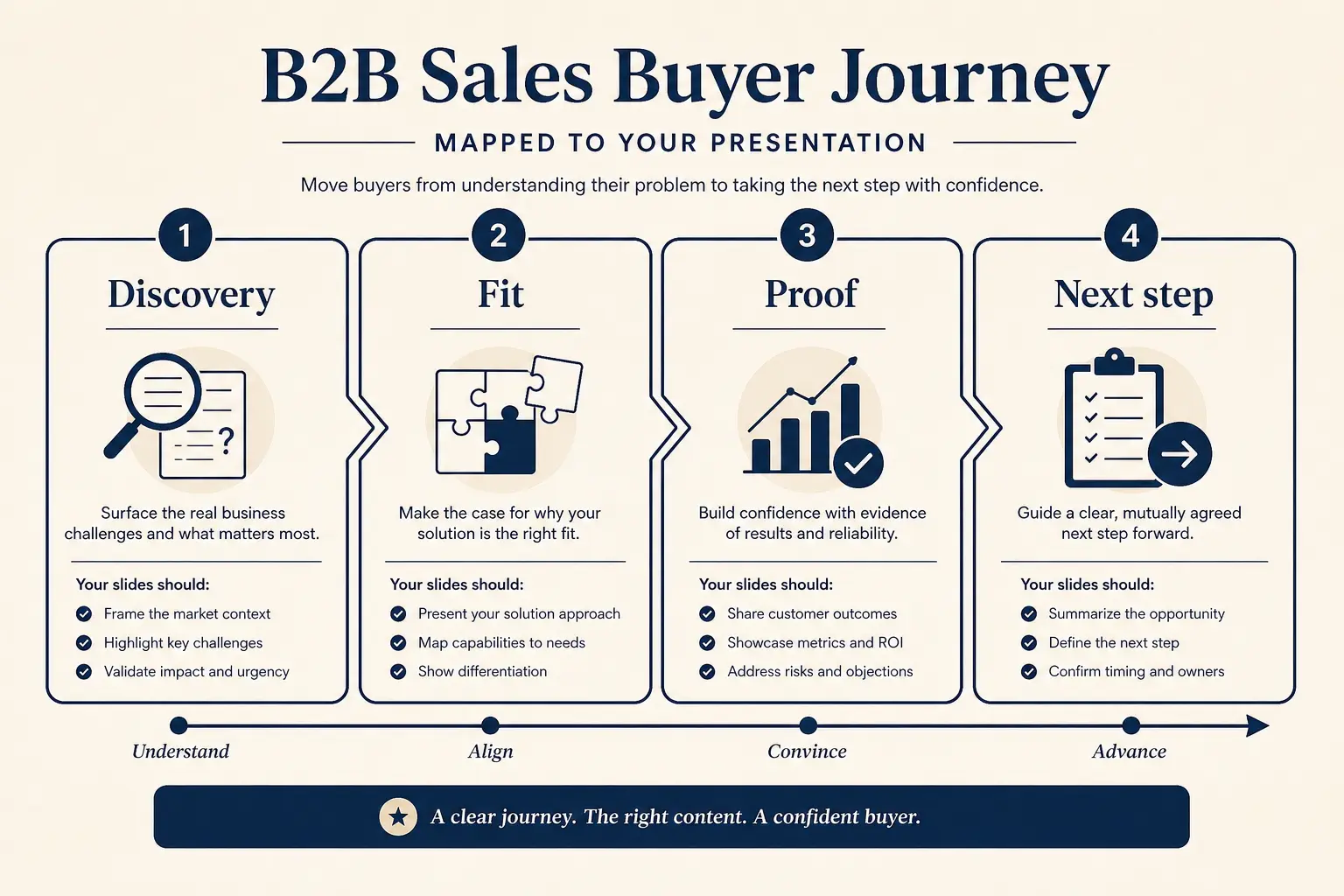
Worked example: 50-minute data literacy lecture
Situation: Jordan teaches a sophomore methods course. Session goal: students can spot three misleading chart patterns and redraw one honest alternative. Materials: two charts from last week’s homework, one local news graphic, no new textbook chapter.
Wrong AI path: twenty slides summarizing “history of data visualization” with invented famous studies. Right path: objectives → minute map (hook 4, beat A 12, CFU 4, beat B 12, CFU 4, redesign studio 10, exit 4) → example bank pasted → sparse live outline → generate → insert real charts → posted twin with definitions. CFU prompts: “Which axis lie is this chart committing?” and “Sketch the honest version in 60 seconds.”
Students leave with a redrawn chart photo upload, not a thank-you slide. That is teachable structure.
Anatomy of a claim slide
Claim headline (one idea)
Supporting line that states the so-what for this audience.
Source / footnote
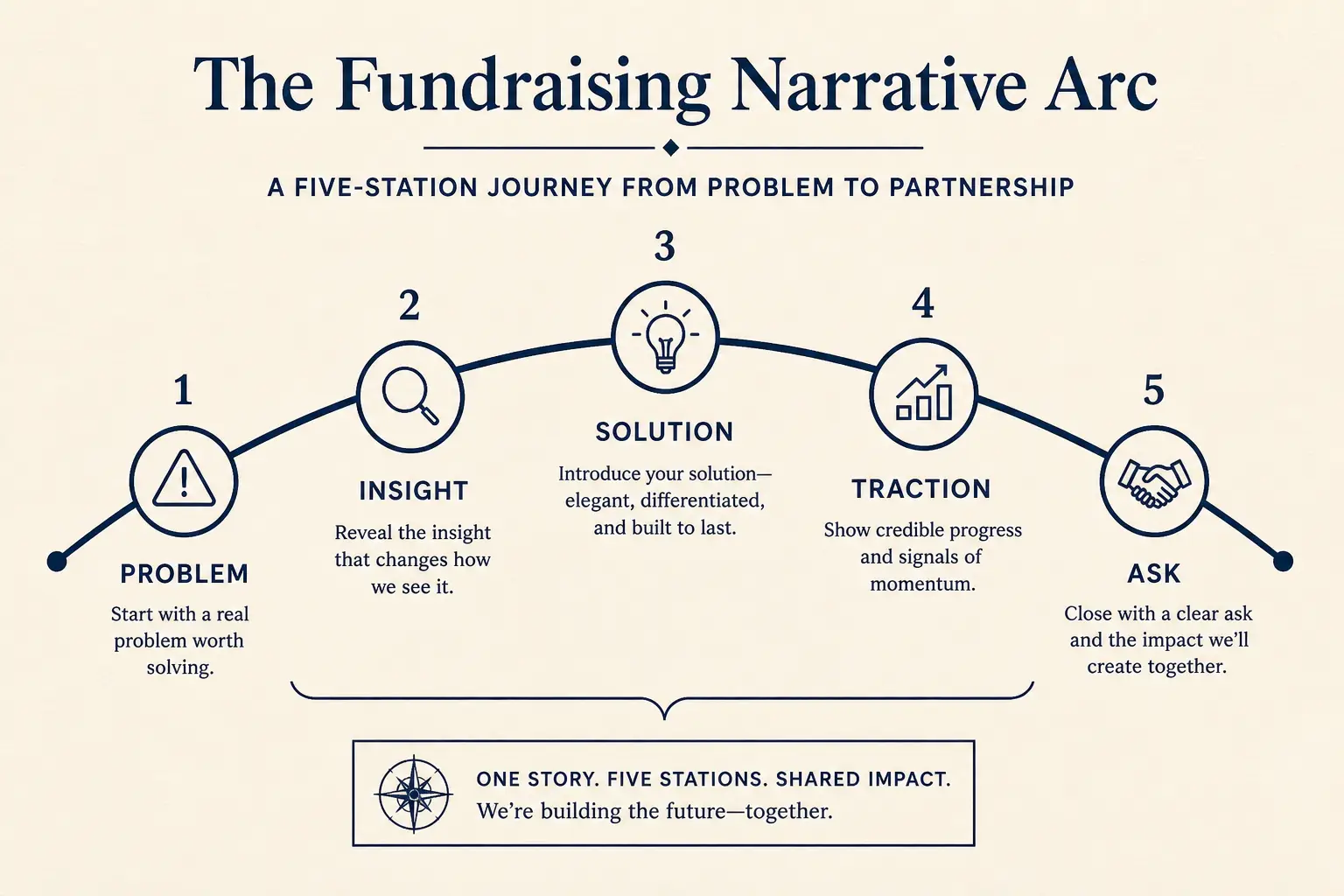
Outline preview
- Narrative, open with Build a teachable lecture outline for
- Body, 3–5 slides that carry the argument
- Close, summary, risks, and the ask
Preview only, Gamma expands this into editable slides.
Live slides vs posted notes (split intentionally)
Live slides carry claims, figures, and prompts. Posted notes carry definitions, short explanations, and links. Generating one dense deck for both jobs produces unreadably busy projection and incomplete review materials.
Workflow: approve live outline → generate sparse live deck → generate posted twin from the same titles with denser body. Mark rows LIVE or POSTED in your outline so you do not accidentally project paragraphs. Animations and builds that only work in one tool should stay on the live path; exports for LMS should be static-safe.
Decide the artifact before you fall in love with a transition. Export surprises are pedagogy failures when the room cannot see the point.
Weak slide → strong slide
Before
- • Overview
- • Features
- • Next steps???
After
- • Cost of status quo
- • Wedge in one claim
- • Proof + decision ask
Example banks beat invented case studies
AI loves plausible examples that are slightly wrong. For lectures, wrong examples destroy trust. Maintain a small example bank per unit: homework item IDs, lab figures, anonymized student misconceptions, and public-domain images you have rights to show.
Paste the bank into prompts with “use only these examples; leave blanks if more are needed.” When the model invents a study, delete it, do not “fix the citation later.” For quantitative courses, require blanks for numbers you will write from the board or clicker results.
Your example bank is curriculum IP. Treat it like a lab notebook, not like optional flavor text.
Slide density spectrum
Sparse
Live stage
1 claim, huge type
Balanced
Default
Claim + 3 proofs
Dense
Leave-behind
Detail for async read
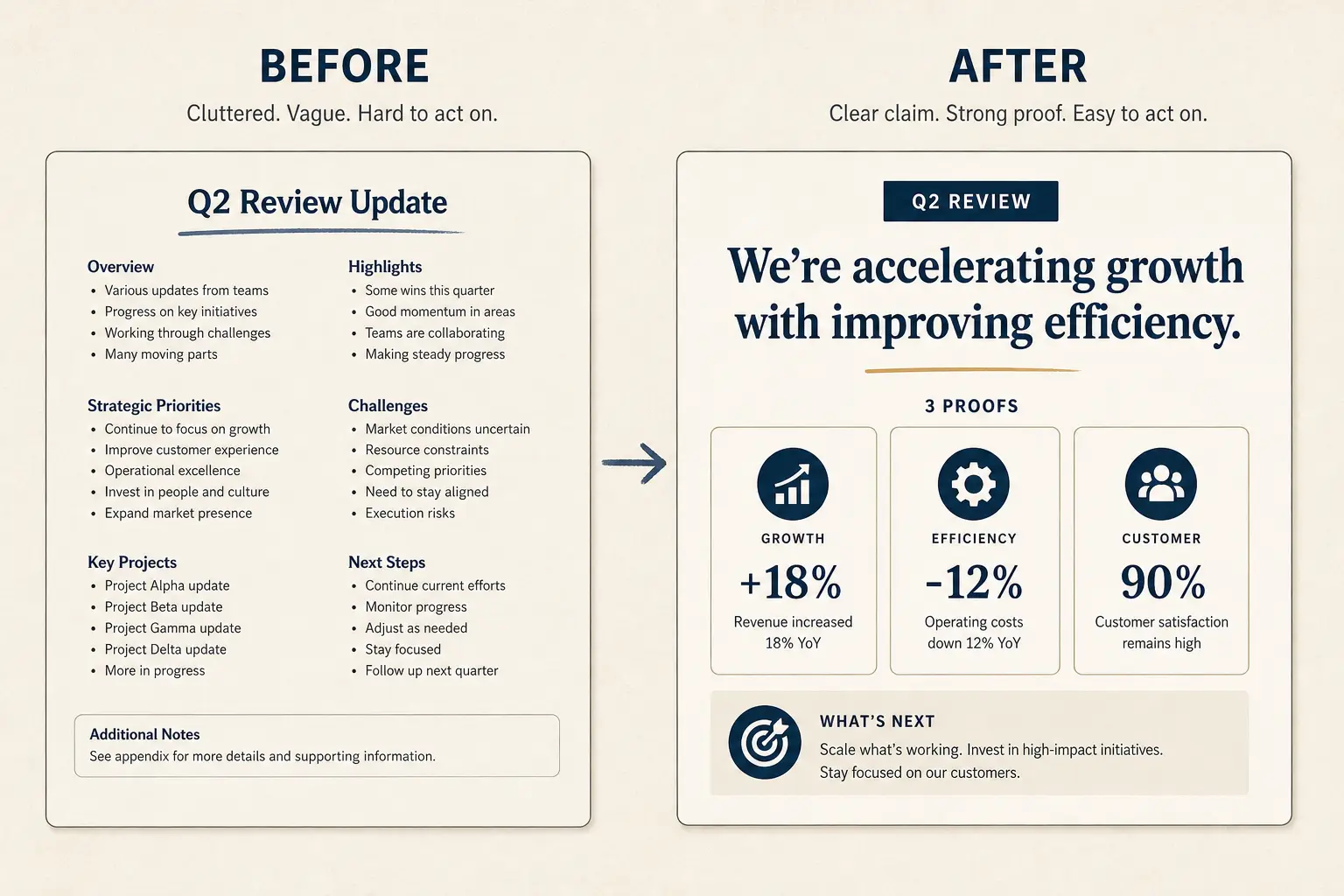
Weak bullets → claim/proof/ask
Paste a bad slide. Get a rewrite pattern you can drop into Gamma, not vibes, a structure.
- Claim: Learning objectives (make the cost of inaction obvious)
- Proof: Lecture overview (add a number, name, or constraint)
- Proof: Topic 1 details (add a number, name, or constraint)
- Proof: Topic 2 details (add a number, name, or constraint)
- Proof: Summary (add a number, name, or constraint)
- Ask: Questions? (one decision, one owner, one date)
Failure modes instructors should cut
Cut coverage slides that exist only because the syllabus week title is broad. Cut agenda slides longer than thirty seconds. Cut decorative quote slides with no discussion prompt. Cut walls of bullet definitions better left in posted notes. Cut “any questions?” slides that replace a designed CFU.
If you are behind on time, cut the third example before cutting the CFU, checks reveal whether the first two examples landed. If students always ask the same clarifying question, promote it to an early slide instead of answering it late every term.
AI will not know your chronic time sinks. Your past term notes should edit the outline harder than the model’s confidence.
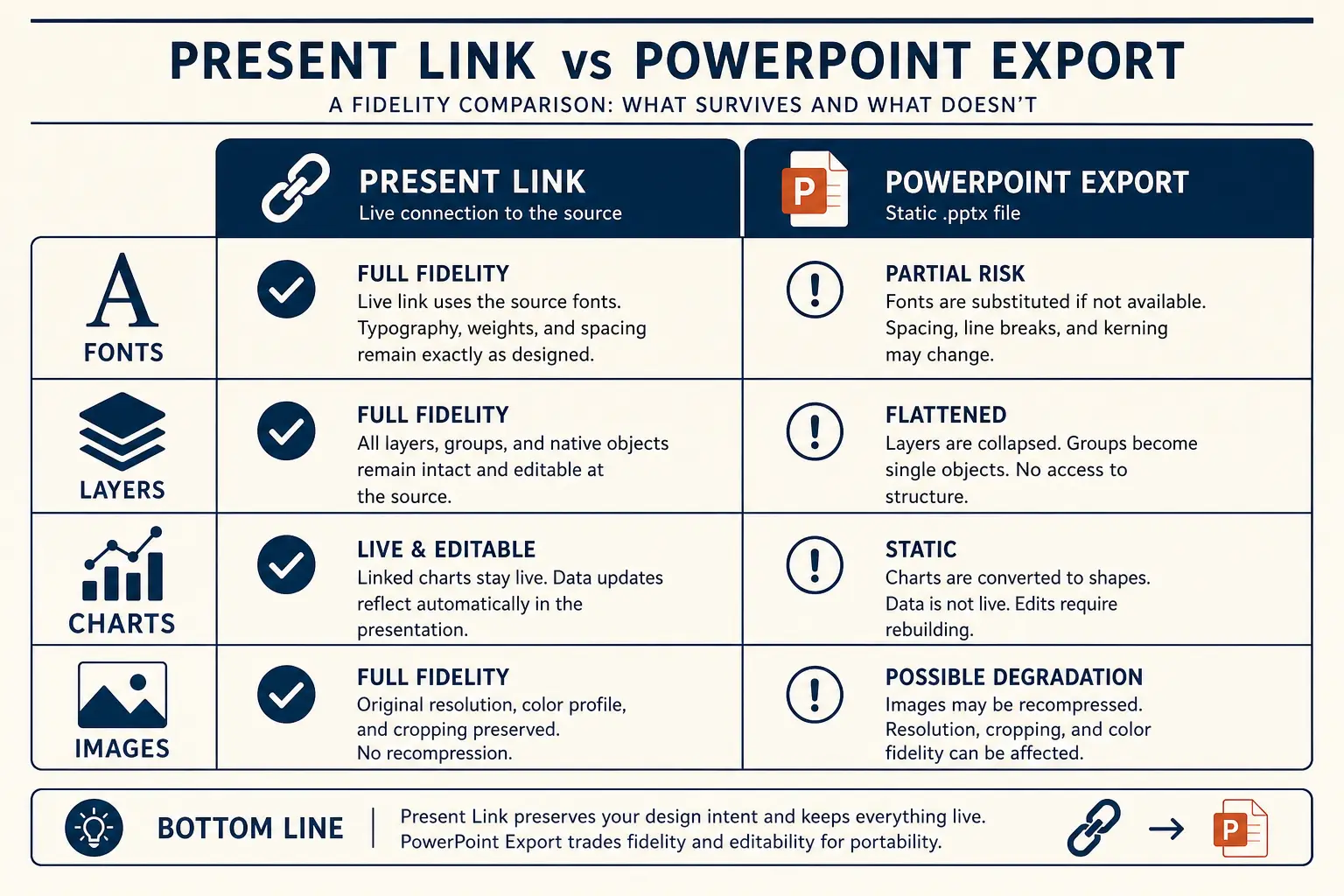
Present link vs PPTX fidelity
Present link
- • Live latest edits
- • Best for your room
- • Analytics-friendly
Export PPTX / PDF
- • Offline / procurement
- • Brand review in PPT
- • Expect cleanup passes
Slide budget calculator
Get a realistic slide count from meeting length and stakes, then open a matching prompt in Gamma.
18
Total slides
13
Core narrative
5
Appendix
Create a 18-slide deck for executives who skim. Meeting length: 50 minutes. Stakes: medium. Use an outline-first structure with 13 core narrative slides and 5 appendix slides. Every slide needs one claim and proof.
Open this budget in GammaAccessibility and room constraints
High contrast, readable minimum type, and meaningful alt text help every room. Design for the worst projector, not your laptop. Leave margins for webcam bubbles in hybrid rooms. Avoid red/green-only encodings on charts.
If you present remotely, sparse slides matter more because screen share shrinks everything. Provide posted notes before class when flipping; provide them after when you want productive struggle, but be consistent and announce the rule.
Accessibility is not a theme pack. It is a teaching constraint equal to the minute budget.
Assessment alignment without exam leakage
Lecture slides can preview the shape of assessment (skills, not items). Do not paste quiz questions you will reuse for grades into AI tools if your policy forbids it. Instead, prompt for isomorphic practice prompts.
Exit tickets should take under three minutes and map to one objective. If you use AI to draft rubrics for oral explanations, you still calibrate with real student work.
Alignment means students can see the thread from objective → example → CFU → exit ticket. If the thread breaks, the deck is a slideshow, not a lesson.
TA workflows and version control
Name files by session date and section. Present links reduce stale PPTX email. When departments require PPTX masters, export after the live outline is approved, not before. Keep a change log: what the model proposed, what the instructor changed.
TAs should not publish readings the model invented. Shared course Gamma decks need an owner for factual accuracy each week.
Version discipline is pedagogy operations. The wrong chart on screen wastes a whole beat.
Concrete next step in Gamma
Paste the 50-minute prompt with your real objectives and example bank. Approve minute-budgeted titles. Generate the sparse live deck, insert your figures, then generate the posted twin. Rehearse CFU timing once.
Return to the education hub for student-facing spokes your syllabus can link. Use classroom talk structure when coaching students on short presentations. Use research presentation outline for guest research seminars.
Teachable AI lecture slides are paced, evidenced, and split by delivery mode. Everything else is a textbook with transitions.
Operating rules for lecture-slides-with-ai
Treat AI lecture slides that stay teachable, pacing, examples, checks as a constrained operating problem, not a theme exercise. The constraint set on this page, audience, proof rules, artifact choice, and cut list, is what makes the guidance non-generic relative to education hub.
Write the decision or learning outcome in one sentence before you touch Gamma. Paste only proof you can defend in Q&A; blanks beat fiction. Name the artifact (present link, PDF, or PPTX) in the outline header so design stays honest. Schedule one title-only skim with a second person when stakes are external. If a section cannot map to the framework on this page, cut it rather than decorating it.
The scenario details earlier on this URL earn the long-tail ranking; these rules keep execution from drifting back to generic AI output under deadline pressure.
Edit loops that save time on lecture-slides-with-ai
Most time waste happens after generation: endless theme tweaks while titles still fail a ninety-second skim. Invert the loop for AI lecture slides that stay teachable, pacing, examples, checks: skim titles, fix claims, fill proof blanks, then adjust visual density for the chosen artifact.
Loop A (10 minutes): title-only skim and cuts. Loop B (15 minutes): proof fill and definition footnotes. Loop C (10–40 minutes): artifact readiness, including PPTX cleanup if required. Loop D (one pass): timed rehearsal or peer read for async leave-behinds. Stop when the decision or learning outcome is unmistakable to a skeptical reader.
If Loop C dominates every week, you are designing for the wrong artifact or carrying too much decorative hierarchy. Simplify the master instead of heroically cleaning exports forever.
Vocabulary lock for lecture-slides-with-ai
Generic AI slides drift into vendor vocabulary. Lock the words your audience already uses, course rubric language, buyer phrases from discovery, investor metric definitions, or committee method terms, and paste that glossary into the prompt as a constraint.
Build a ten-term glossary for this scenario before generating. Ban three fluffy phrases that always appear in weak drafts for this job. Require metric definitions on-slide when a skeptic could misread a chart. Prefer audience-native verbs over interchangeable corporate verbs. Keep the glossary next to the prompt template so updates are mechanical.
Vocabulary locks are how long-tail pages stay specific. Without them, every deck collapses into the same interchangeable AI tone.
Ship bar for lecture-slides-with-ai
Ship only when a skeptical reviewer can answer: what is the ask or learning outcome, what proof supports it, what did we cut, and which artifact is canonical. If any answer is fuzzy, you are not done, regardless of how polished the theme looks.
Ask or outcome is on a slide, not only in speaker notes. Proof inventory matches on-slide claims one-to-one. Failure-mode cuts from this page have been applied once. Permissions or file open tests completed for the delivery path. Owners and dates exist for follow-ups when the job is operational.
This bar is stricter than “looks fine.” Clear answers under skepticism are how AI lecture slides that stay teachable, pacing, examples, checks work actually lands.
Gamma habit for lecture-slides-with-ai
In Gamma, keep the durable habit outline-first: paste a scenario-specific prompt from this page, lock titles, generate, regenerate weak sections with diff prompts, then present or export on purpose. Do not restart from a blank vibe prompt when a long-tail spec already exists for AI lecture slides that stay teachable, pacing, examples, checks.
Keep a team library of A-tier prompts keyed to jobs like this URL. Store proof inventories next to decks so updates are mechanical. Prefer section regen over full rerolls when one metric changes. Link education hub from your internal wiki so people escalate to systems when they outgrow this scenario. Re-read Method when tool debates appear, architecture arguments need shared axes.
Day-to-day excellence is boring repetition of good constraints. This page supplies the constraints for one job; Gamma supplies the editable structure to execute them quickly.
Field notes 1 for lecture-slides-with-ai
When teams apply AI lecture slides that stay teachable, pacing, examples, checks in the wild, the same friction shows up: rushed prompts, missing proof inventories, late artifact switches, and reviews that argue about taste instead of decisions. Field note 1 is a corrective habit, small enough to run weekly, strict enough to prevent cleanup debt.
Habit: freeze a proof inventory before any generate click, even when the calendar is cruel. Habit: run a ninety-second title skim with someone who was not in the working session. Habit: write the artifact choice in the outline header and refuse layout work that contradicts it. Habit: cut twenty percent after first rehearsal or first async read, on purpose. Habit: log one failure mode from this page that you actually hit, and patch the team template. Habit: prefer section regen with updated proof over full rerolls that reshuffle a working spine.
These habits are not motivational posters. They are the difference between AI that compresses work and AI that creates a second shift of cleanup. Attach them to education hub rituals so they survive personnel changes.
Field notes 2 for lecture-slides-with-ai
When teams apply AI lecture slides that stay teachable, pacing, examples, checks in the wild, the same friction shows up: rushed prompts, missing proof inventories, late artifact switches, and reviews that argue about taste instead of decisions. Field note 2 is a corrective habit, small enough to run weekly, strict enough to prevent cleanup debt.
Habit: freeze a proof inventory before any generate click, even when the calendar is cruel. Habit: run a ninety-second title skim with someone who was not in the working session. Habit: write the artifact choice in the outline header and refuse layout work that contradicts it. Habit: cut twenty percent after first rehearsal or first async read, on purpose. Habit: log one failure mode from this page that you actually hit, and patch the team template. Habit: prefer section regen with updated proof over full rerolls that reshuffle a working spine.
These habits are not motivational posters. They are the difference between AI that compresses work and AI that creates a second shift of cleanup. Attach them to education hub rituals so they survive personnel changes.
Frequently asked questions
Draft teachable lecture slides
Give Gamma the objective, duration, and example bank, then split live slides from the posted handout.