Learn · Education
AI presentation for students, structure without generic slide soup
Students get the worst of AI presentations when the model optimizes for “professional looking” instead of learning objectives. A 200-level seminar talk is not a startup pitch; a lab report talk is not a sales deck. The fix is not banning tools, it is forcing structure: objective → claim → evidence → check → takeaway. This guide shows how undergrads and high-school students can use AI for class presentations without inventing sources, while staying honest about academic integrity.
Parent guide: education hub. Method notes: how we evaluate decks. Product entry: AI presentation maker.
Who this is for (and who should stop)
This workflow is for students building graded talks, seminar presentations, and group project decks who want help with structure and clarity, not a fake research assistant. It assumes you have already done the reading, collected sources, or run the lab. AI here is a structuring tutor, not a substitute for the assignment’s cognitive work.
Stop here if you hope AI will invent sources, write the analysis for you, or replace reading the assignment. If your course forbids generative tools, follow that rule without stealth prompting. Thesis defenses belong in the research presentation outline spoke; instructor lecture decks belong in AI lecture slides.
If you are a TA helping students, share this stack as a checklist, not as a “make it pretty” tip. Pretty does not grade; claims and evidence do.
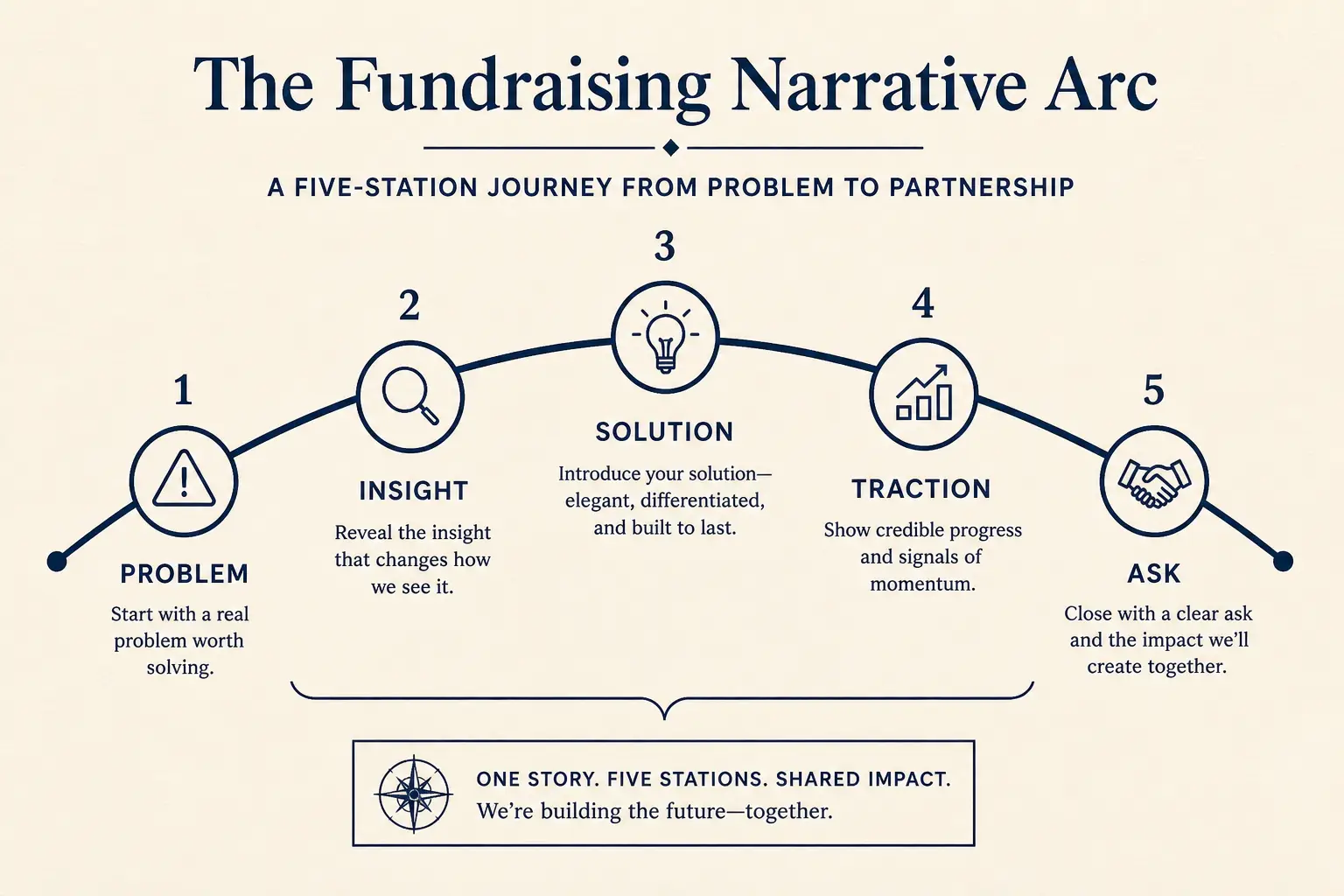
Fundraising narrative arc
Tension early. Proof before the ask. Titles should skim as a story.
The student presentation stack (five layers)
Treat every graded talk as five layers. Skip a layer and AI will invent filler to look complete, which is exactly how students fail rubrics that reward evidence and thesis clarity.
Layer one is the rubric map: list criteria and points, then paste them into the prompt as a hard constraint. Layer two is a one-sentence thesis, what classmates should believe or be able to do after ten minutes. Layer three is an evidence inventory of quotes, data, and figures you already have, with blanks for missing pieces. Layer four is claim titles that skim as an argument, not Overview / Background / Conclusion. Layer five is delivery mode: live talk (sparse) versus posted handout (denser).
A practical rule for 100- and 200-level courses: if you cannot name the rubric criterion a slide serves, cut the slide. Tourism content burns minutes and points.
Time-to-usable-deck
Blank PPT path
Outline in docs → design fight → rebuild → 3–8 hours
Outline-first AI path
Prompt → edit outline → generate → polish → minutes to first usable draft
Worked example: 12-minute history seminar (sophomore)
Situation: Maya has a twelve-minute seminar on how wartime rationing reshaped civilian food culture in Britain, 1940–1945. Rubric weights: thesis (25), primary-source use (30), structure (20), delivery (15), discussion prompt (10). She has two diary excerpts, one Ministry of Food poster, and a secondary article, not a full literature review.
Wrong AI path: “Make a professional presentation about WWII rationing” produces twelve corporate slides with invented statistics and a thank-you slide. Right path: paste rubric plus thesis plus evidence inventory with blanks, lock six claim titles, generate sparse slides, fill citations from notes, rehearse once with a timer. Winning sequence: thesis claim; why it matters for the unit; diary evidence; poster as visual primary source; counterargument with secondary source; takeaway question.
No Agenda slide. No Overview of WWII. No fake GDP chart. Graders reward argument density, not tourism.
Evaluation rubric axes
Outline preview
- Narrative, open with 12-minute undergrad seminar for classmates who
- Body, 3–5 slides that carry the argument
- Close, summary, risks, and the ask
Preview only, Gamma expands this into editable slides.
Integrity protocol (non-negotiable)
Write a three-line process note for yourself (and submit it if required): what you asked the model to do, what outline it proposed, and what you changed plus which sources you verified. This keeps learning visible.
Banned: fabricating quotes, inventing journal articles, copying AI prose as your analysis, submitting a teammate’s AI draft without rewrite. Allowed when policy permits: outline scaffolding, title clarity, timing cuts, speaker-note bullets you deliver in your own words. If a classmate offers a finished deck with no sources attached, treat it as contaminated and rebuild from your evidence inventory.
Fluent fiction fails under Q&A. Graders notice perfect-looking citations that do not exist faster than students expect.
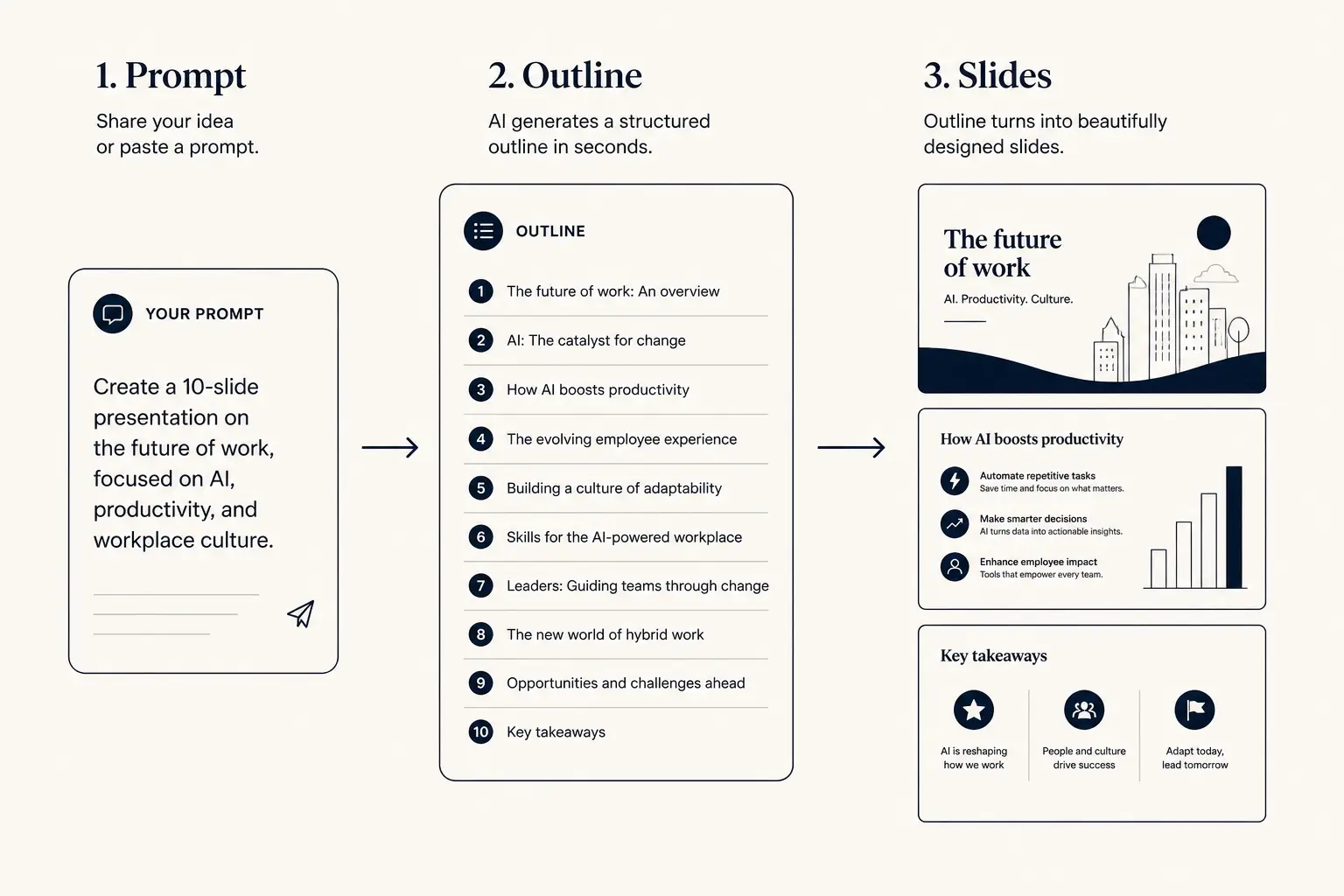
Prompt → outline → slides
1. Prompt
Audience, goal, length, proof you already have.
2. Outline
- • Opening claim
- • Proof beats
- • Ask / next step
3. Slides
Prompt pattern that survives grading
Use a spec-sheet prompt, not vibes. Required blocks: audience, duration, learning objective in learner language, slide cap, evidence inventory with a use-only constraint, and anti-patterns (no invented facts, no corporate tone, no thank-you slide).
Open Gamma with that prompt and edit titles before theme polish. Diff prompts after first generation: cut to one idea per slide, or replace numbers with NEED DATA blanks from your notebook. Save templates with placeholders for rubric and evidence, not last semester’s topic baked in.
Prompt libraries decay when they become stale examples. Treat them like living specs tied to real assignments.
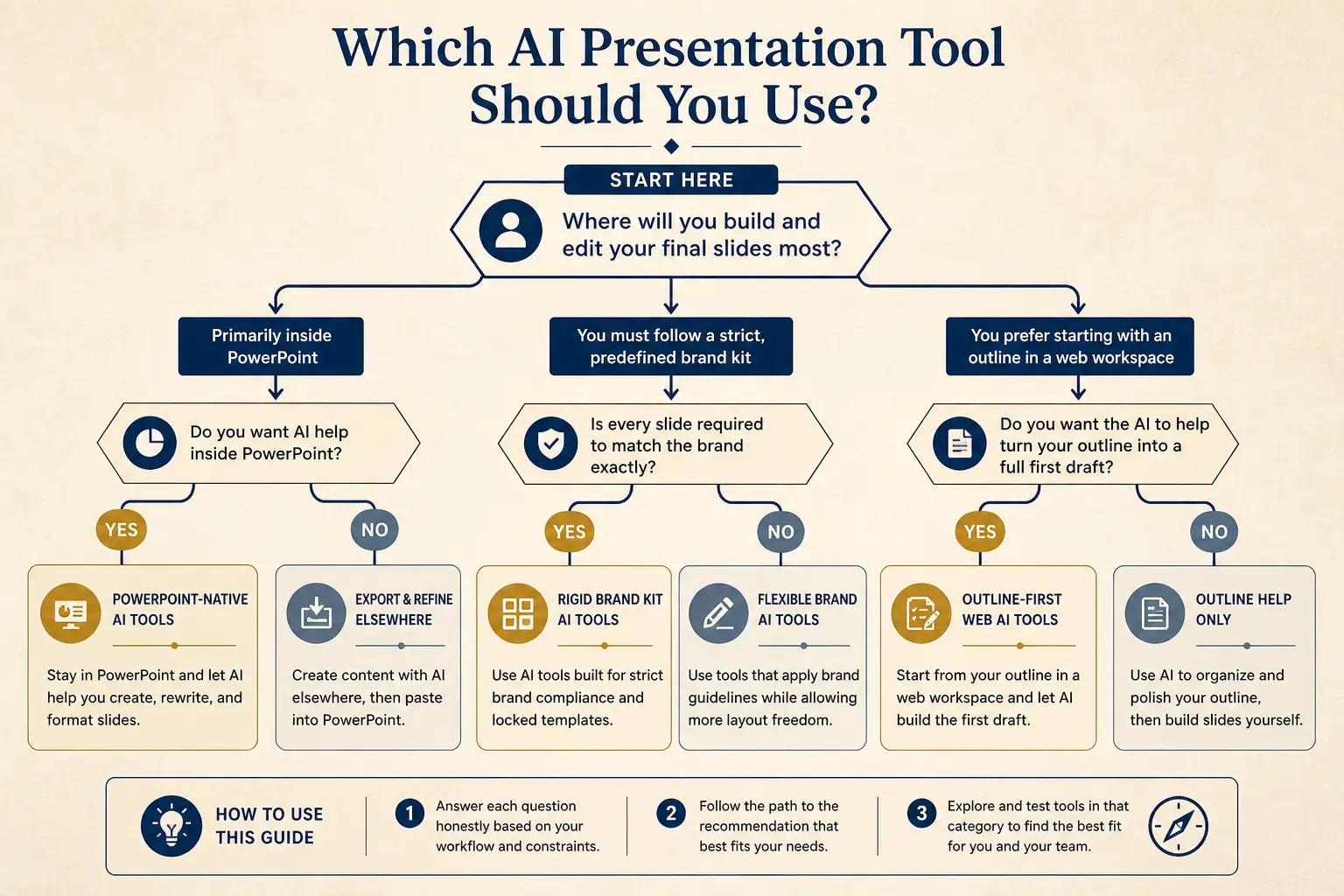
Which tool for which job
Need native PowerPoint editing every day?
Yes → Plus AI / Copilot · No → continue
Need rigid brand kits across a large team?
Yes → Beautiful.ai / enterprise kits · No → continue
Need outline-first AI drafting + present link?
Yes → Gamma
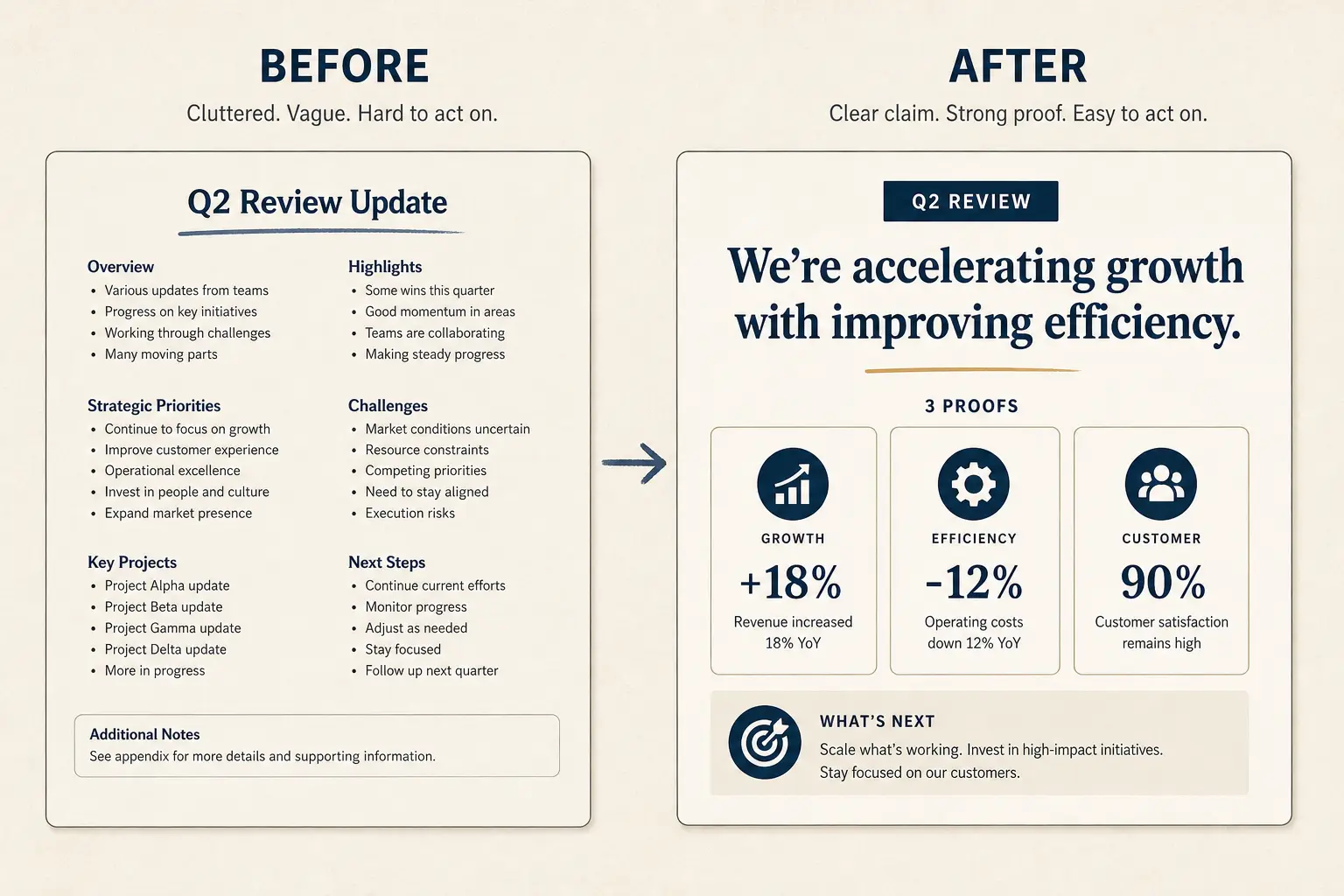
Weak bullets → claim/proof/ask
Paste a bad slide. Get a rewrite pattern you can drop into Gamma, not vibes, a structure.
- Claim: of the topic (make the cost of inaction obvious)
- Proof: Background facts (add a number, name, or constraint)
- Proof: My research (add a number, name, or constraint)
- Proof: Conclusion (add a number, name, or constraint)
- Ask: Questions? (one decision, one owner, one date)
Group projects: ownership beats shared mush
Shared AI drafts without owners produce one voice and one set of hallucinations. Run one outline workshop: lock titles, assign slide owners by name, and require each owner to paste their own evidence blanks.
The integration pass checks transitions, not rewriting everyone’s analysis into corporate sameness. Peer evaluation should mark slide ownership and verified sources. Name owners in the prompt so outline rows keep attribution cues. Timebox AI assist to thirty minutes for shared outline, then human rewrite.
Groups that let the model finish usually discover errors during Q&A, the most expensive place to learn you invented a method section.
Anatomy of a claim slide
Claim headline (one idea)
Supporting line that states the so-what for this audience.
Source / footnote
Slide budget calculator
Get a realistic slide count from meeting length and stakes, then open a matching prompt in Gamma.
12
Total slides
8
Core narrative
4
Appendix
Create a 12-slide deck for executives who skim. Meeting length: 10 minutes. Stakes: medium. Use an outline-first structure with 8 core narrative slides and 4 appendix slides. Every slide needs one claim and proof.
Open this budget in GammaFailure modes and what to cut
Cut tourism openers that spend three slides on context before a thesis, collapse stakes into one sentence. Cut invented metrics; replace with blanks or delete. Cut handout density on stage. Cut thank-you closers; replace with a discussion question. Cut corporate tone and use course vocabulary.
Deletion test: if removing the slide would not change what classmates can do after the talk, it was decoration. Teams that cut thirty percent of slides usually improve delivery scores because the room stays on the argument. If rehearsal runs long, cut examples first, then secondary points, never the thesis or discussion ask.
AI defaults to comprehensive. Your job is selective. Comprehensive is how ten-minute talks become eighteen-minute apologies.
Lab talks and STEM-specific constraints
STEM lab presentations fail when AI turns a methods section into marketing copy. Keep the hypothesis in one sentence, procedure in four steps max, and a graph placeholder you will replace with measured values. Sources of error deserve a real slide, graders listen for whether you understand uncertainty.
Never ask a model to invent p-values, yields, or instrument readings. Prompt with flag blanks for notebook values and paste actual numbers after generation. For engineering design reviews, force a tradeoff slide with two axes you actually evaluated, instructors grade tradeoffs, not feature lists.
If your lab has a required figure format, say so in the prompt: leave a full-width figure slot; no decorative icons.
High-school vs undergrad expectations
High-school talks often grade delivery and basic organization more heavily; undergrad seminars overweight thesis and evidence. Adjust slide density accordingly. A freshman speech class may want a clearer preview slide; a senior seminar may punish preview slides as filler.
Read the rubric before you copy a template from the internet. When parents push for professional decks, translate that to readable type, high contrast, and claim titles, not stock business metaphors. For mixed audiences, keep the live deck sparse and offer a denser one-pager handout.
Professional in academia means honest structure, not consulting cosplay.
Delivery checklist and Gamma handoff
The night before, confirm every title is a claim or question tied to the rubric; every evidence slide has a verified citation; slide count matches your minute budget with one buffer; you can deliver without reading paragraphs; the discussion prompt is timed for sixty to ninety seconds; and you export only if required.
Concrete next step: paste a playground prompt with your real rubric and evidence inventory. Approve claim titles in the outline before generation. Generate only after every NEEDS EVIDENCE row has a blank you can fill from notes. Rehearse once with a timer; cut examples before cutting the thesis or discussion ask.
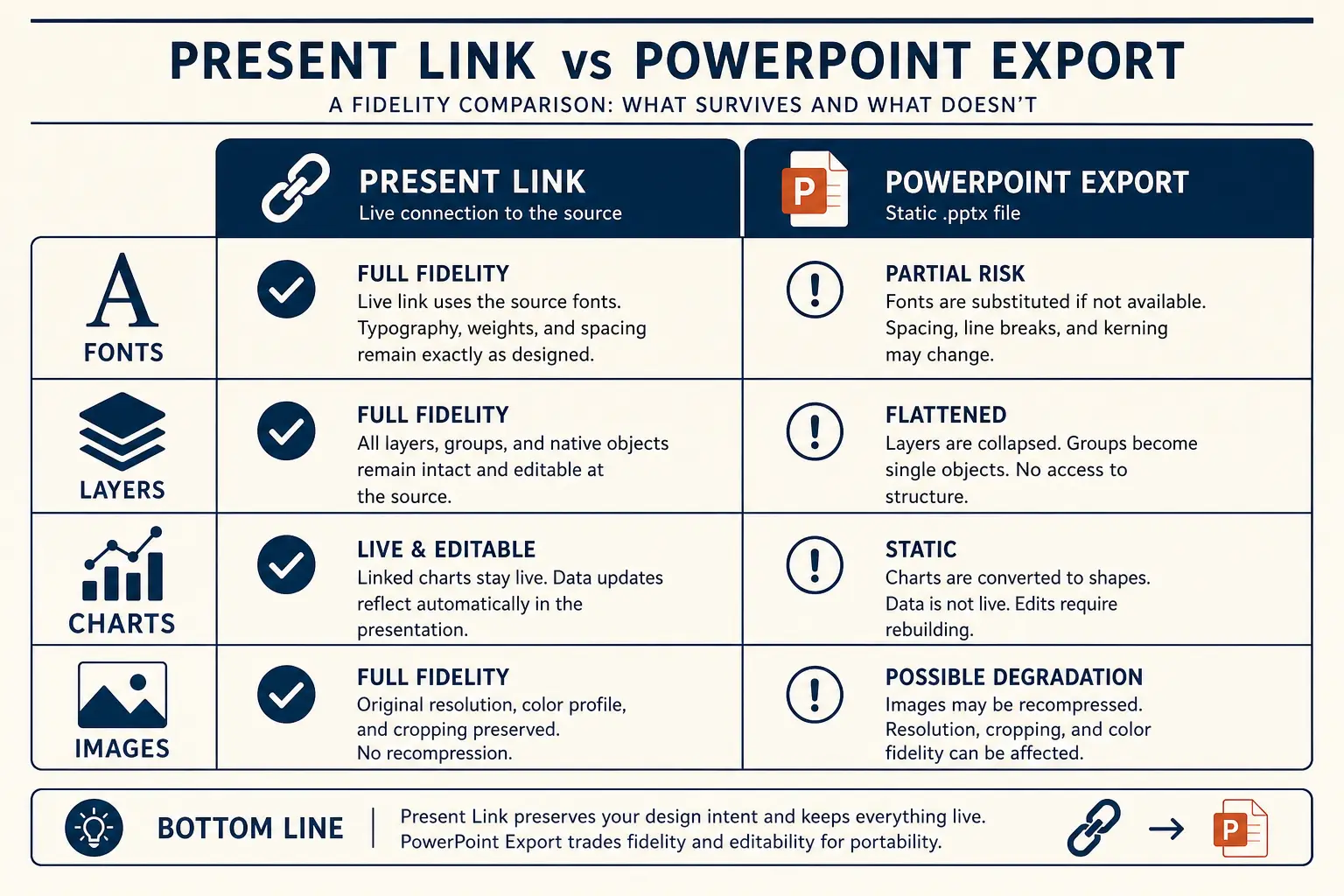
That is the student-safe AI path, structure help without academic fiction. Continue to classroom talk structure for timing beats, or the research outline for defense-style talks.
Operating rules for student-presentation-with-ai
Treat AI presentation for students, structure without generic slide soup as a constrained operating problem, not a theme exercise. The constraint set on this page, audience, proof rules, artifact choice, and cut list, is what makes the guidance non-generic relative to education hub.
Write the decision or learning outcome in one sentence before you touch Gamma. Paste only proof you can defend in Q&A; blanks beat fiction. Name the artifact (present link, PDF, or PPTX) in the outline header so design stays honest. Schedule one title-only skim with a second person when stakes are external. If a section cannot map to the framework on this page, cut it rather than decorating it.
The scenario details earlier on this URL earn the long-tail ranking; these rules keep execution from drifting back to generic AI output under deadline pressure.
Edit loops that save time on student-presentation-with-ai
Most time waste happens after generation: endless theme tweaks while titles still fail a ninety-second skim. Invert the loop for AI presentation for students, structure without generic slide soup: skim titles, fix claims, fill proof blanks, then adjust visual density for the chosen artifact.
Loop A (10 minutes): title-only skim and cuts. Loop B (15 minutes): proof fill and definition footnotes. Loop C (10–40 minutes): artifact readiness, including PPTX cleanup if required. Loop D (one pass): timed rehearsal or peer read for async leave-behinds. Stop when the decision or learning outcome is unmistakable to a skeptical reader.
If Loop C dominates every week, you are designing for the wrong artifact or carrying too much decorative hierarchy. Simplify the master instead of heroically cleaning exports forever.
Vocabulary lock for student-presentation-with-ai
Generic AI slides drift into vendor vocabulary. Lock the words your audience already uses, course rubric language, buyer phrases from discovery, investor metric definitions, or committee method terms, and paste that glossary into the prompt as a constraint.
Build a ten-term glossary for this scenario before generating. Ban three fluffy phrases that always appear in weak drafts for this job. Require metric definitions on-slide when a skeptic could misread a chart. Prefer audience-native verbs over interchangeable corporate verbs. Keep the glossary next to the prompt template so updates are mechanical.
Vocabulary locks are how long-tail pages stay specific. Without them, every deck collapses into the same interchangeable AI tone.
Ship bar for student-presentation-with-ai
Ship only when a skeptical reviewer can answer: what is the ask or learning outcome, what proof supports it, what did we cut, and which artifact is canonical. If any answer is fuzzy, you are not done, regardless of how polished the theme looks.
Ask or outcome is on a slide, not only in speaker notes. Proof inventory matches on-slide claims one-to-one. Failure-mode cuts from this page have been applied once. Permissions or file open tests completed for the delivery path. Owners and dates exist for follow-ups when the job is operational.
This bar is stricter than “looks fine.” Clear answers under skepticism are how AI presentation for students, structure without generic slide soup work actually lands.
Gamma habit for student-presentation-with-ai
In Gamma, keep the durable habit outline-first: paste a scenario-specific prompt from this page, lock titles, generate, regenerate weak sections with diff prompts, then present or export on purpose. Do not restart from a blank vibe prompt when a long-tail spec already exists for AI presentation for students, structure without generic slide soup.
Keep a team library of A-tier prompts keyed to jobs like this URL. Store proof inventories next to decks so updates are mechanical. Prefer section regen over full rerolls when one metric changes. Link education hub from your internal wiki so people escalate to systems when they outgrow this scenario. Re-read Method when tool debates appear, architecture arguments need shared axes.
Day-to-day excellence is boring repetition of good constraints. This page supplies the constraints for one job; Gamma supplies the editable structure to execute them quickly.
Frequently asked questions
Draft a class talk from your rubric
Give Gamma the learning objective, duration, and evidence blanks, then edit titles before you present.